本文前半部分复制自 suan/github-flavored-markdown-test,用于本站 GitHub Flavored Markdown 基础排版验收;文末补充本站扩展功能的验收样本。
This README can be used as a reference for github-flavored-markdown styling (and possibly behavior).
H1
followed by some text
H2
followed by some text
H3
followed by some text
H4
followed by some text
H5
followed by some text
H6
followed by some text
Auto-detected link: http://www.france.com
Some Ignored_multiple_underscore_italics here
A line of normal text with inline code and italics, strong font, and even some μ†ℱ ╋ℯ╳╋. Followed by lots of Lorem ipsum dolor sit amet, consectetur adipiscing elit. Duis id sem purus, eu commodo tortor. Donec malesuada ultricies dolor a eleifend. In hac habitasse platea dictumst. Vivamus a faucibus ligula. Nullam molestie tristique arcu, eu elementum metus ultricies sed. Aenean luctus congue lectus, vitae semper erat rhoncus non. Nulla facilisi.
Followed by another line of normal text with inline code and italics, strong font, and even some μ†ℱ ╋ℯ╳╋. Followed by lots of Lorem ipsum dolor sit amet, consectetur adipiscing elit. Duis id sem purus, eu commodo tortor. Donec malesuada ultricies dolor a eleifend. In hac habitasse platea dictumst. Vivamus a faucibus ligula. Nullam molestie tristique arcu, eu elementum metus ultricies sed. Aenean luctus congue lectus, vitae semper erat rhoncus non. Nulla facilisi.
Thin horizontal rule:
--
Thick horizontal rule:
Empty line between table and this text
def this_is
  puts "some #{4-space-indent} code"
end
def this_is
  puts "some #{code tag} code"
end
def this_is
  puts "some #{pre tag} code"
end
def this_is
  puts "some #{fenced} code"
end
class Classy
  def this_is
    puts "some #{colored} ruby code with ruby syntax highlighting"
    @someobj.do_it(1, 2)
  end
end
var test = function this_is(){
  console.log("some" + colored + "javascript code with javascript syntax highlighting really long");
}
(defproject myproject "0.5.0-SNAPSHOT"
  :description "Some clojure code with syntax highlighting."
  :dependencies [[org.clojure/clojure "1.5.1"]]
  :plugins [[lein-tar "3.2.0"]])
var test = function this_is(){
  console.log("language declared as 'js' instead");
}
var test = function this_is(){
  console.log("language declared as bogus_language");
}
here is blockquote

本站扩展验收
这一节用于验证文章详情页在基础 GFM 之外提供的阅读体验。数学公式和 Mermaid 图表会在对应功能接入后,以本节内容作为最终验收样本。
扩展文字与列表
这里包含 删除线、高亮文字、H2O、210,以及 Ctrl + K 这类键盘按键标记。
- 已完成的任务应保持清晰但不过分抢眼。
- 未完成的任务应与已完成项有可辨识的状态差异。
- 嵌套列表应维持稳定的缩进节奏。
- 第二层项目。
- 第二层中的
inline code。
带元数据的代码块
interface AcceptanceResult {
  passed: boolean;
  features: string[];
}

const result: AcceptanceResult = {
  passed: true,
  features: ['filename', 'highlighted lines', 'horizontal scrolling'],
};

const longLine = 'This deliberately long source line verifies that horizontal scrolling stays inside the code block and never expands the article page beyond its container.';
这段代码同时检验文件名、语言名、指定高亮行,以及超长代码行在代码块内部滚动的表现。
图片与灯箱
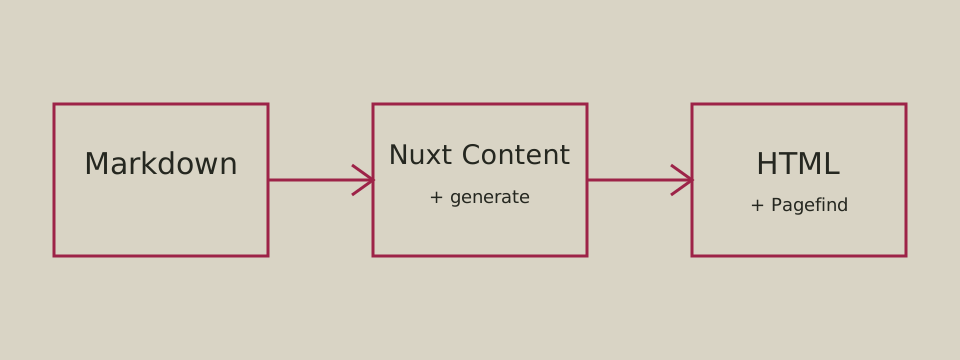
图片应保留替代文本、在窄屏内缩放且不撑破正文宽度。图片灯箱接入后,点击此图应能打开预览,并可通过键盘关闭。
统一图片排版
上图验证块级图片的定宽、起点对齐和图注。图注不能写在行内图片上;关闭预览时仍应保留图注:
行内图片不应打断文字流:状态为 
装饰图标不应创建灯箱入口:
脚注
脚注引用应在行文中保持低干扰,并能跳转到文末说明。1
同一段落也可以引用第二个脚注。2
数学公式
行内公式:,以及 。
块级公式:
超宽块级公式应只在公式区域横向滚动:
公式功能接入后,应正确排版行内与块级公式,并在小屏幕上保持可读性。
Mermaid 图表
flowchart LR
  markdown[Markdown source] --> parser[Nuxt Content]
  parser --> renderer[Article renderer]
  renderer --> reader[Reader]
Mermaid 功能接入后,这个代码块应渲染为流程图,并适应明暗主题和窄屏容器。
Comments
Loading comments…